

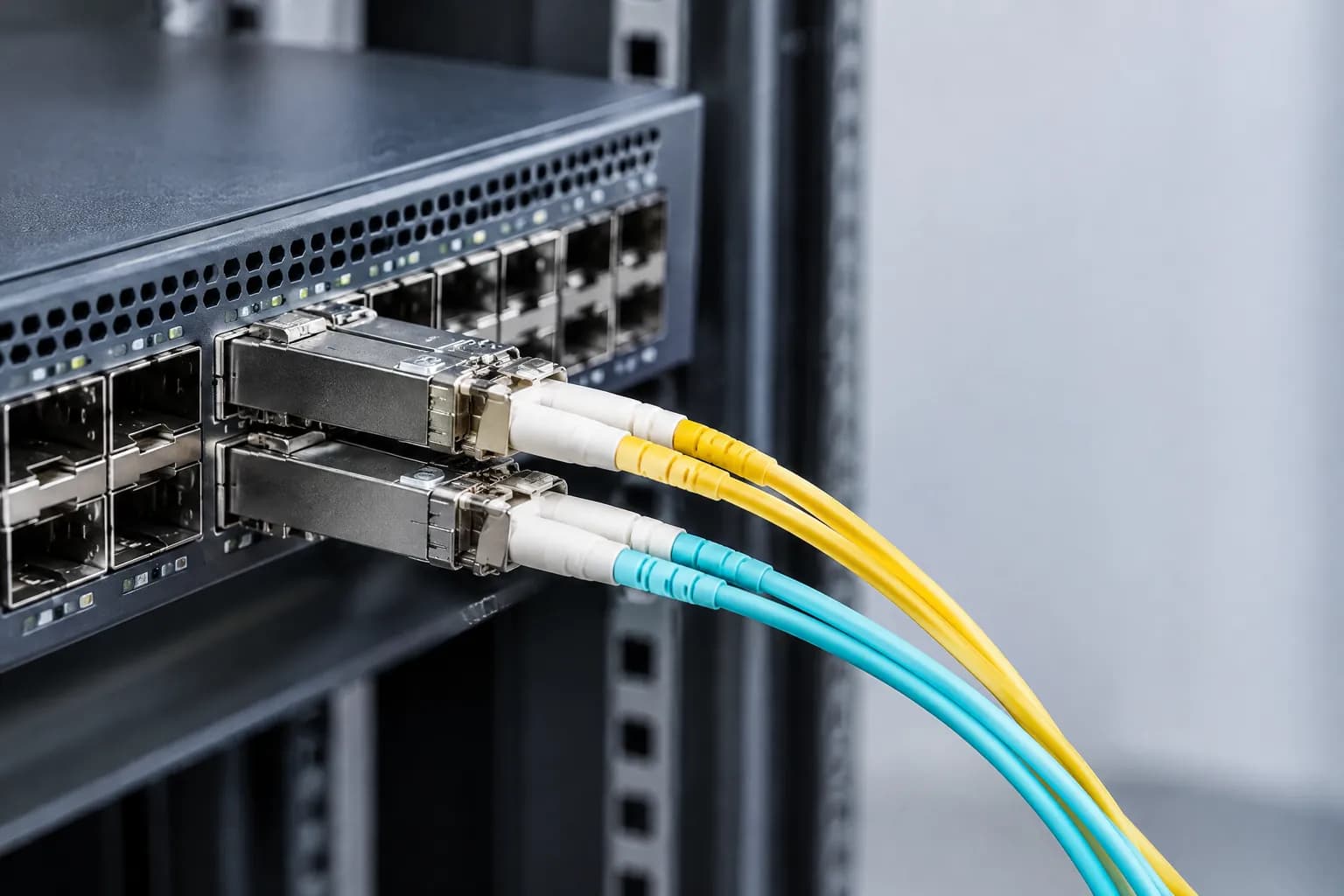
An optical transceiver works when six things line up: the form factor fits the port, the standard and wavelength match the module at the far end, the fibre type and connector suit the cabling, and the module's coding is accepted by the host switch. Specify all six and third-party coded optics behave just like the originals.
Which details have to match on every link?
Most failed optics orders come down to one detail missing from the request. Check each of these for both ends of the link:
- Form factor: SFP for 1G, SFP+ for 10G, SFP28 for 25G, QSFP+ for 40G, QSFP28 for 100G, QSFP-DD for 400G. Faster ports often accept slower modules (many SFP+ ports take a 1G SFP), but not the reverse.
- Standard: SR, LR, ER and the rest define wavelength, reach and fibre type. An SR optic will not talk to an LR optic.
- Wavelength: both ends must match, except BiDi optics, which come as matched pairs with opposite wavelengths.
- Fibre type: multimode (OM3, OM4, OM5) for short-reach optics, single-mode (OS2) for long reach.
- Connector: LC duplex for most optics, MPO for parallel optics such as SR4, simplex LC for BiDi, SC on many PON optics.
- Coding: the module's memory must identify it in a way the switch accepts.
Common optics at a glance
| Standard | Form factor | Fibre | Wavelength | Typical reach | Connector |
|---|---|---|---|---|---|
| 1000BASE-SX | SFP | Multimode | 850 nm | Up to 550 m on OM2 or better | LC duplex |
| 1000BASE-LX/LX10 | SFP | Single-mode | 1310 nm | 10 km | LC duplex |
| 10GBASE-SR | SFP+ | Multimode | 850 nm | 300 m on OM3, 400 m on OM4 | LC duplex |
| 10GBASE-LR | SFP+ | Single-mode | 1310 nm | 10 km | LC duplex |
| 10GBASE-ER | SFP+ | Single-mode | 1550 nm | 40 km | LC duplex |
| 25GBASE-SR | SFP28 | Multimode | 850 nm | 70 m on OM3, 100 m on OM4 | LC duplex |
| 40GBASE-SR4 | QSFP+ | Multimode | 850 nm | 100 m on OM3, 150 m on OM4 | MPO-12 |
| 100GBASE-SR4 | QSFP28 | Multimode | 850 nm | 70 m on OM3, 100 m on OM4 | MPO-12 |
| 100GBASE-LR4 | QSFP28 | Single-mode | Four lanes near 1310 nm | 10 km | LC duplex |
What is a coded optic?
Every transceiver carries a small memory chip (EEPROM) holding its vendor name, part number, serial and capabilities, in a layout set by industry multi-source agreements (MSAs). Many switches read that memory when a module is inserted and check whether it is one of their own. A module with an unrecognised vendor field may be accepted silently, accepted with a warning or shut down, depending on the vendor and software version.
Third-party manufacturers build optics to the same MSA standards and program the memory so the switch recognises the module as compatible. That is all coding means: the optics are the same and the identity is written for the target platform. Some platforms have configuration options that admit uncoded modules, but vendors often treat these as unsupported, so they are a poor basis for a production network.
Should you buy OEM or third-party coded optics?
Both are legitimate choices, and many networks use both. The trade-offs are straightforward:
- Original-brand optics carry the switch vendor's part number, raise no questions in a support case and are what some vendors' engineers ask for while troubleshooting. They cost more, and some part numbers take longer to source.
- Third-party coded optics cost less, are easier to find in quantity and are widely used by ISPs and integrators. Quality depends on the manufacturer, so buy from sources that test and stand behind their modules.
- A common compromise is original optics in the core and on links covered by a vendor support contract, with coded optics at the edge and in access networks.
BiDi, CWDM and DWDM in brief
When fibre is scarce, wavelength techniques let one strand or one pair carry more. BiDi optics send and receive on a single strand using two wavelengths, so each end needs the opposite half of a matched pair. CWDM and DWDM optics put several channels on one fibre pair at different wavelengths, combined and separated by passive multiplexers. These are powerful tools for ISPs and campus operators leasing dark fibre, but every channel, multiplexer port and optic has to be planned together.
Temperature and diagnostics in hot sites
Standard commercial optics are rated for 0 to 70 °C case temperature. In an outdoor street cabinet, a rooftop enclosure or a shelter whose air conditioning has failed, modules can run hotter. Industrial-temperature optics, rated from −40 to 85 °C, cost a little more and are the better choice for those sites. Digital optical monitoring (DOM), supported by most current modules, lets you read temperature, transmit power and receive power from the switch, which turns a mysterious link drop into a measurable problem.
Most optical faults are not failed modules but dirty connectors. Keep dust caps fitted, inspect and clean every connector before mating, and never look into a live fibre or an open port.
When are DAC or AOC cables the better choice?
For links inside a rack or between neighbouring racks, a direct-attach copper (DAC) cable replaces two optics and a patch cord with one assembly. DACs are inexpensive, draw very little power and suit links of a few metres between switches and servers. Active optical cables (AOC) do the same job over longer distances with fibre in the middle. Both are coded like optics, so give us the switch model at each end; a DAC joining two different vendors' switches needs coding that both accept.
How to write an optics order
- Switch or router model and software version at each end of the link.
- Link distance and fibre type, including the OM grade for multimode.
- Speed and standard if you know them, or just distance and fibre type and we will choose.
- Connector type on the patch panel or enclosure.
- Operating environment, if the module will sit in an outdoor or uncooled cabinet.
- Whether original-brand optics are required for support reasons.
Related reading
Leave a Comment
Your email address will not be published.