

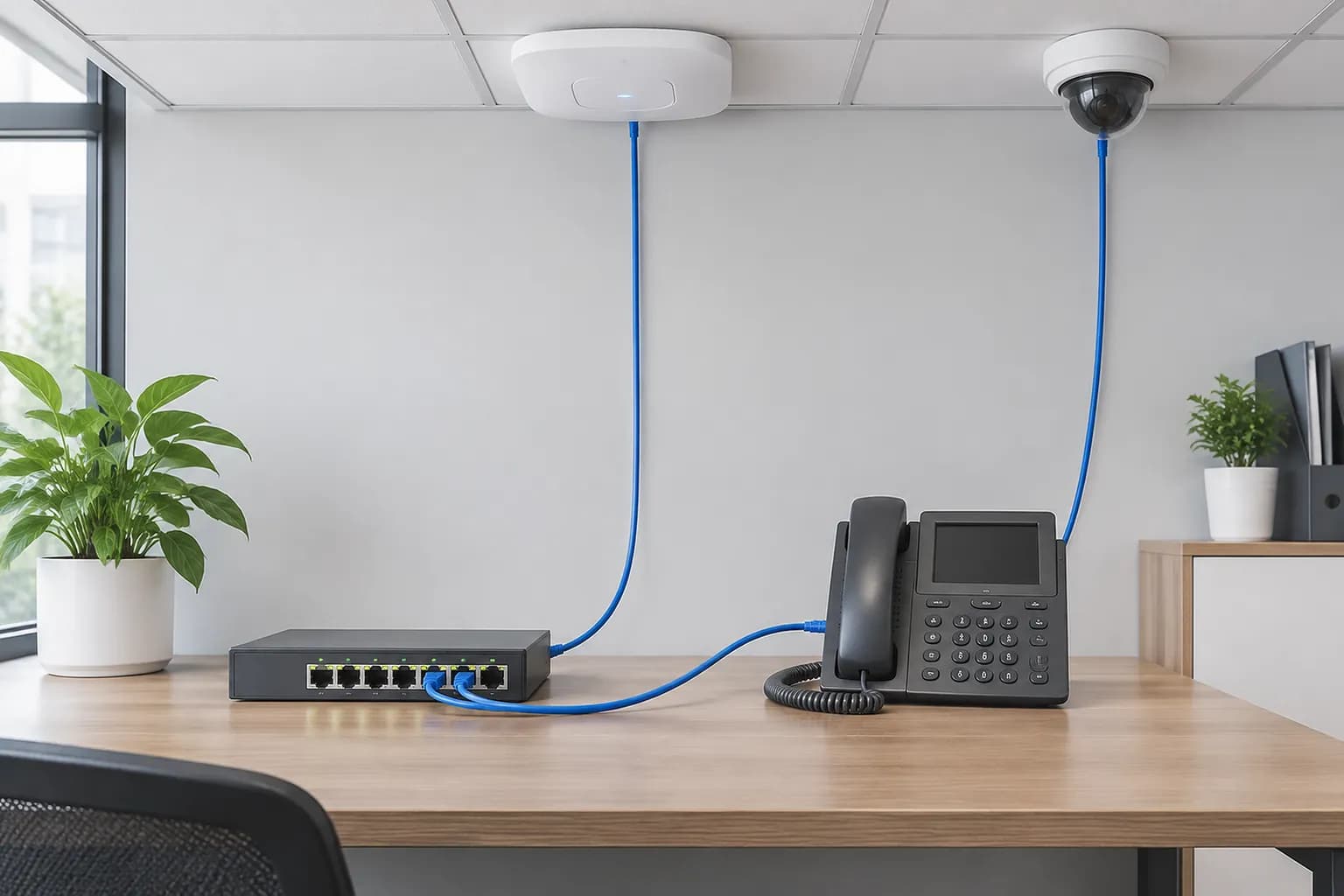
To calculate a PoE budget, list every powered device, find the power the switch will reserve for each one by PoE class or negotiated value, add the figures, allow 20 to 25 percent headroom, and check the total against the switch's PoE budget for the power supplies you will install rather than its per-port maximum.
What do the PoE standards deliver?
Four IEEE power levels cover almost everything on a modern network. The figure at the switch port (the PSE) is higher than the figure available at the device (the PD) because some power is lost in the cable over the maximum 100 m channel.
| Standard | Common name | Power at switch port | Power at device | Pairs used |
|---|---|---|---|---|
| IEEE 802.3af (Type 1) | PoE | 15.4 W | 12.95 W | 2 pairs |
| IEEE 802.3at (Type 2) | PoE+ | 30 W | 25.5 W | 2 pairs |
| IEEE 802.3bt (Type 3) | 4PPoE | 60 W | 51 W | 4 pairs |
| IEEE 802.3bt (Type 4) | 4PPoE | 90 W | 71.3 W | 4 pairs |
Within those standards, devices declare a class. A class 1 device reserves 4 W at the port, class 2 reserves 7 W, class 3 reserves 15.4 W and class 4 reserves 30 W; classes 5 to 8 cover the 802.3bt levels from 45 W up to 90 W.
Class-based or negotiated allocation?
Switches reserve power in one of two ways. With class-based allocation, the switch sets aside the class maximum for each device the moment it connects, so a class 4 access point reserves 30 W even if it draws 14 W on a quiet afternoon. With LLDP-based negotiation, the device tells the switch how much it needs and the switch reserves that figure instead. Some switches can also allocate on measured consumption.
Negotiation fits more devices on the same budget, but only when both the devices and the switch support it. When in doubt, plan on class maximums: if the budget works on those, it will work in practice.
A worked example
Take one floor of an office building with these devices:
- 24 Wi-Fi 6 access points, class 4: 24 × 30 W = 720 W reserved
- 40 IP phones, class 2: 40 × 7 W = 280 W reserved
- 16 fixed IP cameras, class 3: 16 × 15.4 W = 246.4 W reserved
The total reservation is 1,246.4 W across 80 powered ports. Adding 20 percent headroom for growth and changes brings the planning figure to about 1,500 W.
Now map that onto switches. Two 48-port PoE+ switches give 96 ports, enough for 80 devices with spares. If each has a 740 W PoE budget, the pair provides 1,480 W, which covers the 1,246 W reservation but leaves very little headroom. The options are models or power-supply configurations with larger budgets, moving the cameras onto a third switch, or confirming that the access points and phones negotiate over LLDP so they reserve less than their class maximum. Balance the devices so neither switch carries most of the load.
What changes with Wi-Fi 6E and Wi-Fi 7 access points?
Many tri-radio access points draw more than PoE+ can supply once every radio and feature is active. On 802.3at power they may disable a radio, reduce transmit chains or switch off USB ports. Check the datasheet for the class required for full operation; if it is class 5 or 6, plan 802.3bt ports and recalculate the budget at 45 or 60 W per access point. Those models usually want multigigabit ports as well, which narrows the choice of switch.
Do cable length and heat change the calculation?
The gap between port power and device power already covers cable losses over a 100 m channel, so there is no separate loss figure to add when the cabling meets standard. Two practical points still matter. Copper-clad aluminium cable has higher resistance than solid copper and wastes more power as heat, so keep it out of PoE runs. And large bundles carrying high-power PoE warm up, which is one reason Cat6A is preferred for 802.3bt deployments.
Power supplies, redundancy and unstable grids
A switch's PoE budget often depends on how many power supplies are fitted and how they are configured. Some models raise the budget when a second supply runs in combined mode, while redundant mode holds the budget at the single-supply level so either supply can carry the load alone. Read the vendor's power table for the exact configuration you are ordering.
Where mains power is unreliable, put PoE switches on a UPS sized for the PoE load plus the switch itself. Otherwise every outage reboots access points, phones and cameras together, and they take minutes to recover. UPS units are covered by the partner site Computer Hardware Wholesale.
Set port priorities before the budget runs short
Most managed PoE switches let you mark ports as critical, high or low priority. If a power supply fails or the budget is exceeded, the switch sheds low-priority ports first. Put access points, reception phones and security cameras on the higher tiers and less important devices on the lowest. It costs nothing at installation and turns a partial outage into a controlled one. Review the priorities whenever devices are added, because a budget that was comfortable at handover rarely stays that way.
PoE budget checklist
- List every powered device with its PoE class or datasheet maximum.
- Use class maximums unless LLDP negotiation is confirmed on both sides.
- Add 20 to 25 percent headroom for growth.
- Check the PoE budget for the exact power-supply configuration you will install.
- Spread high-power devices across switches.
- Plan 802.3bt and multigigabit ports for tri-radio access points.
- Protect PoE switches with a UPS where the grid is unstable.
Related reading
- PoE access switches- Switches from 8 to 48 ports with PoE+ and 802.3bt
- PoE injectors and midspans- Adding power where the switch has none
- Wi-Fi 6 vs 6E vs Wi-Fi 7 for African deployments- How access point choice changes power needs
- UPS units and power protection- Power equipment at Computer Hardware Wholesale
Related reading
Leave a Comment
Your email address will not be published.